
GCC plugin for C4droid10.2.0 - Get APK
You'll be able to download in few seconds.
Publisher Description
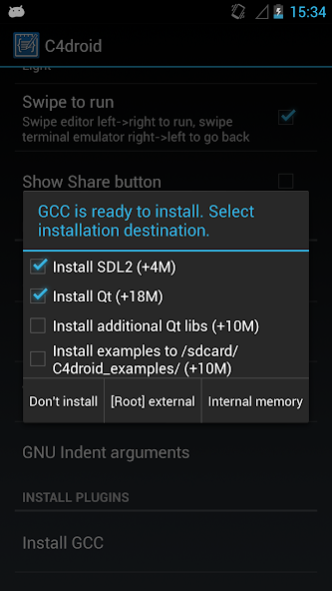
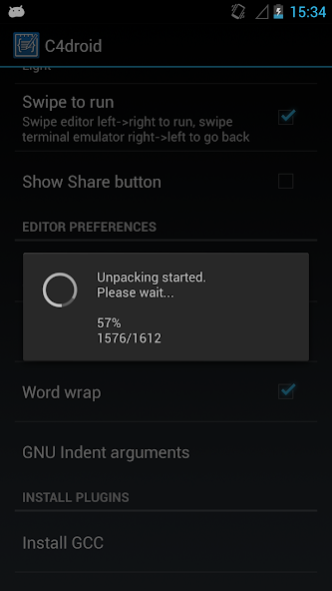
WARNING! It's not a standalone application and it doesn't contain any activities to launch.
Make sure to use latest version of main app installed from Google Play.
Don't write a review if C4droid wasn't installed from Google Play - it will be ignored anyway.
List of issues that you shouldn't report by email without providing your valid order number of C4droid:
1) C4droid can't find plugins.
2) "arm-linux-androideabi-g++: not found".
3) C4droid still asks to update plugin, but it is already updated.
Due to a huge amount of spam, these emails (without an order number) will be silently deleted. Thanks for your understanding.
This plugin makes C4droid a fully functional C++ compiler & IDE using GNU GCC (C and C++ compiler).
It contains GCC 10.2 with Bionic (Android libc), email me to get the source code.
To download this app you must have C4droid installed (other usage is prohibited).
Android is a trademark of Google Inc.
Some executables in this app package are licensed under (L)GPL, email me to get the source code.
About GCC plugin for C4droid
The company that develops GCC plugin for C4droid is n0n3m4. The latest version released by its developer is 10.2.0.
To install GCC plugin for C4droid on your Android device, just click the green Continue To App button above to start the installation process. The app is listed on our website since 2020-10-06 and was downloaded 0 times. We have already checked if the download link is safe, however for your own protection we recommend that you scan the downloaded app with your antivirus. Your antivirus may detect the GCC plugin for C4droid as malware as malware if the download link to com.n0n3m4.gcc4droid is broken.
How to install GCC plugin for C4droid on your Android device:
- Click on the Continue To App button on our website. This will redirect you to Google Play.
- Once the GCC plugin for C4droid is shown in the Google Play listing of your Android device, you can start its download and installation. Tap on the Install button located below the search bar and to the right of the app icon.
- A pop-up window with the permissions required by GCC plugin for C4droid will be shown. Click on Accept to continue the process.
- GCC plugin for C4droid will be downloaded onto your device, displaying a progress. Once the download completes, the installation will start and you'll get a notification after the installation is finished.
Program Details
System requirements
Download information
Pricing
Version History
version 10.2.0
posted on 2020-10-06
Updated GCC to 10.2
Qt libraries are now distributed inside GCC plugin
version 9.1.0
posted on 2019-09-01
Fixed "unused DT entry" messages on Android < 6.
This update doesn't trigger automatic plugin reinstallation, please reinstall it from preferences if you are affected by the issue fixed in this version.
9.1.0:
Updated GCC to 9.1.0
Updated libc++
Updated system libraries and headers
Added x86_64 support
version 9.1.0
posted on 2019-07-24
Updated GCC to 9.1.0
Updated libc++
Updated system libraries and headers
Added x86_64 support
version
posted on 2017-11-13
Android 8 support.
GCC updated to 7.2.0.
Updated binutils to 2.29.
version
posted on 2016-09-21
6.1.0:,Updated GCC to 6.1.0,Migrated to llvm libcxx,5.3.0:,Updated GCC to 5.3.0,5.2.0 (22 Nov):,Fixed libstdc++,5.2.0:,Updated everything.,Updated Qt to 5.5,Updated GCC to 5.2.0
version 4.8.1
posted on 2013-06-08
Several fixes and updates
Disclaimer
External Download
We do not host GCC plugin for C4droid on our servers. We did not scan it for viruses, adware, spyware or other type of malware. This app is hosted by Galad and passed their terms and conditions to be listed there. We recommend caution when installing it.
The APK Download link for GCC plugin for C4droid is provided to you by apps112.com without any warranties, representations or guarantees of any kind, so access it at your own risk.
If you have questions regarding this particular app contact the publisher directly. For questions about the functionalities of apps112.com contact us.
